

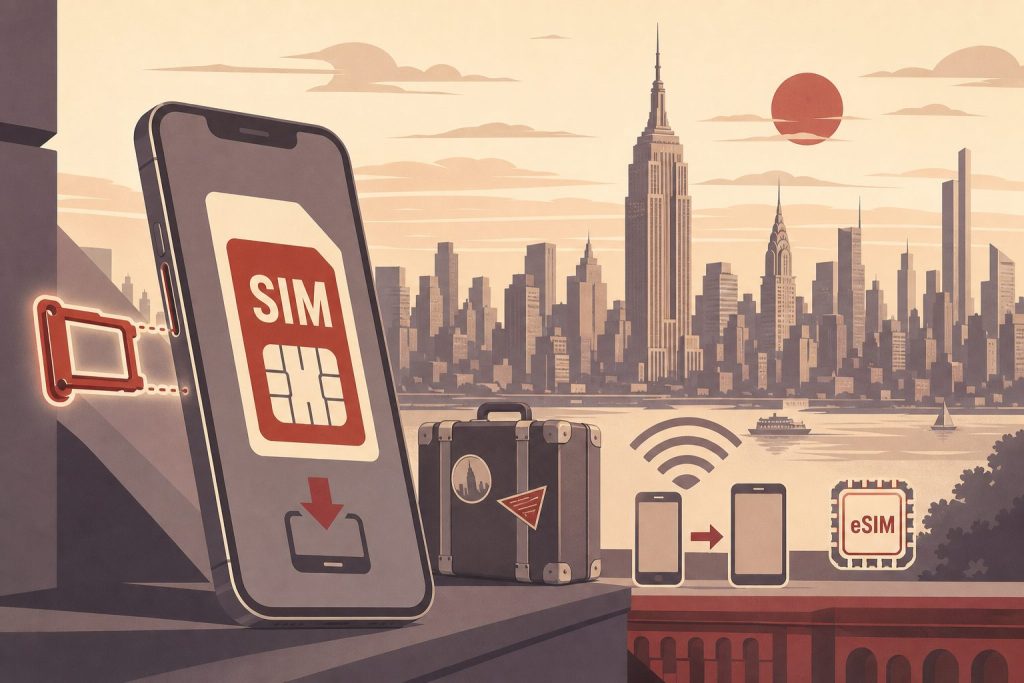
An eSIM lets you run a 212 area code phone number on your iPhone, Android, or Apple Watch without a physical SIM card. The number activates digitally — a QR code, a carrier app, or a few taps in Settings — and works exactly like any other line on your device. This guide covers how to get a 212 number onto an eSIM in 2026, which devices support it, and the edge cases that trip people up.
What an eSIM Actually Is
An eSIM (“embedded SIM”) is a programmable chip soldered into your phone at manufacturing. Instead of inserting a physical card from a carrier, you activate a cellular plan digitally — typically by scanning a QR code, tapping a button in your carrier’s app, or transferring service from an old device during setup. The eSIM stores everything a traditional SIM does: your phone number, carrier credentials, and the network keys needed to make calls and send texts.
Three things have changed materially since eSIM first appeared in 2018, and they matter for anyone buying a 212 number today:
US iPhones are now eSIM-only. Starting with iPhone 14 (2022), all iPhones sold in the United States ship without a physical SIM tray. iPhone 15, 16, and 17 continue this — there is no nano-SIM slot at all. If you own a US-model iPhone 14 or newer, your 212 number MUST go on an eSIM. There’s no other option.
Dual eSIM is now standard. iPhone 13 and every iPhone since support running two active eSIMs simultaneously. You can have your existing primary line on one eSIM and your new 212 number on a second eSIM, both ringing on the same handset with no physical hardware swap. The same is true on most modern Android flagships — Pixel 7 and later, Samsung Galaxy S23 and later.
Ready to Get a 212 Number?
One-time fee. No monthly charges. Port to any carrier in 3–5 business days. NYC's most trusted source since 2009.
Browse 212 Numbers →All major US carriers fully support eSIM. Verizon, AT&T, T-Mobile, Cricket, Google Fi, Mint Mobile, and most MVNOs activate eSIM through their apps or via QR code. None of them require a store visit or a mailed card. This means porting a 212 number to an eSIM is a same-day operation on every major US network.
Why an eSIM Is the Easiest Way to Add a 212 Number
If your existing cell line is something else — say, a (415) or (305) or a number you’ve had since high school — and you want to add a 212 number for business, dating, or a Manhattan presence, an eSIM solves the “second phone” problem without buying a second phone.
Calls placed from the 212 eSIM show the 212 number on caller ID. Incoming calls to your 212 line ring your existing handset, and you can assign a distinct ringtone so you know which number was dialed. Texts and voicemail stay separated by line in iOS Messages and on most Android phones. From the recipient’s perspective, the 212 number behaves exactly like any other cell number — it’s a real wireless line on a real carrier, not a VoIP forwarder.
This is different from running a 212 number through Google Voice or another VoIP app: VoIP routes calls over data, depends on app uptime, and gets rejected by some banks for two-factor authentication. An eSIM-based 212 number uses native cellular voice on a major carrier’s network, with no such restrictions.
How to Get a 212 Number on Your eSIM — Step by Step
The flow is the same whether your destination carrier is Verizon, AT&T, T-Mobile, or any major MVNO. The only carrier-specific variation is which app or URL you use in Step 3.
Step 1 — Acquire the 212 number. Pick a specific number from a curated inventory and complete checkout. The number is assigned to you on a carrier we partner with, and you’ll receive porting credentials (an account number and a transfer PIN) you’ll use to move it to your eSIM. Browse current 212 inventory.
Step 2 — Confirm your device supports eSIM. Check the compatibility chart in the next section. If you’re on a US-model iPhone 14 or newer, you’re already eSIM-only — proceed. If you’re on an older iPhone or an Android, confirm eSIM support before continuing.
Step 3 — Initiate a port-in with your destination carrier. In your carrier’s app (My Verizon, T-Life, myAT&T, etc.) find “Add a line” or “Transfer your number” and select eSIM as the activation type. The carrier will ask for the four standard port-in fields: the 212 number you’re transferring, the source account number, the transfer PIN, and the billing name and ZIP on the source account. All four must match the source carrier’s records exactly or the port rejects.
Step 4 — Activate the eSIM on your device. The carrier issues you an activation QR code or pushes the eSIM profile directly to your device via “eSIM Quick Transfer” (Apple’s term) or a similar one-tap method. On iPhone: Settings → Cellular → Add eSIM. On Android: Settings → Network & internet → SIMs → +. Follow the on-screen prompts. The whole activation takes 1-5 minutes.
Step 5 — Wait for the port to complete. The eSIM activates immediately as a “secondary line” but the actual 212 number transfer can take anywhere from 15 minutes to a few hours (wireless-to-wireless ports) or up to a few business days (landline or VoIP source numbers). You’ll get an SMS from the destination carrier when the port lands. At that point, the 212 number is fully live on your eSIM.
Step 6 — Configure dual-line behavior. On iPhone: Settings → Cellular → tap the 212 line → set a label (“Business,” “Manhattan,” etc.) and assign a distinct ringtone. Decide whether the 212 line is your default for outbound calls, texts, and iMessage, or only used when you select it explicitly. On Android: similar options under Settings → SIMs.
For carrier-specific setup details, see our per-carrier guides for Verizon Wireless, T-Mobile, and Verizon iPhone specifically.
Device Compatibility
Quick reference for which devices can hold a 212 number on an eSIM, and which dual-line modes they support:
| Device | eSIM support | Dual-line capability |
|---|---|---|
| iPhone 17 (US) | eSIM-only | 2 active eSIMs, 8+ stored |
| iPhone 14, 15, 16 (US) | eSIM-only | 2 active eSIMs |
| iPhone 13, 13 Pro, 13 mini | eSIM + physical SIM | 2 active eSIMs, OR 1 eSIM + 1 nano-SIM |
| iPhone XR, XS, 11, 12, SE (2nd gen+) | eSIM + physical SIM | 1 eSIM + 1 nano-SIM |
| Apple Watch (cellular, Series 3+) | eSIM-only | Shares primary iPhone line, or independent |
| Google Pixel 2 through Pixel 6 | eSIM + physical SIM | 1 eSIM + 1 nano-SIM |
| Google Pixel 7 and later | eSIM + physical SIM | 2 active eSIMs (Pixel 7+) |
| Samsung Galaxy S20 through S22 | eSIM + physical SIM | 1 eSIM + 1 nano-SIM |
| Samsung Galaxy S23 and later | eSIM + physical SIM | 2 active eSIMs (S23+) |
| Samsung Galaxy Z Fold, Z Flip (recent) | eSIM + physical SIM | 2 active eSIMs |
If your device isn’t listed, check your manufacturer’s specs page for “eSIM support” — almost every flagship smartphone released since 2020 includes it.
What If You’re Buying a Used iPhone From Another Country
Worth flagging because it catches people: not all iPhones are eSIM-only. iPhones sold in most countries OUTSIDE the US still have physical SIM trays, even on models that are eSIM-only in the US. If you bought an iPhone 15 in Canada, the UK, Japan, or anywhere outside the US, it likely has a nano-SIM slot AND eSIM support. You can choose either for your 212 number.
This matters for two scenarios: buying a used or international iPhone, and for travelers who own multiple-region iPhones. For most US-based readers buying a new iPhone in the US, this is academic — your phone is eSIM-only and the 212 number goes on the eSIM. Period.
Frequently Asked Questions
Can I get a 212 area code phone number on an eSIM?
Yes. Any 212 number from 212areacode.com can be ported to any major US carrier as an eSIM activation. The number works identically to one provisioned on a physical SIM — same caller ID, same calls and texts, same 2FA acceptance, same coverage.
Do I need a US-model iPhone to use a 212 number on an eSIM?
No. Any eSIM-capable device (US or international iPhone, Android phone, Apple Watch with cellular, recent iPad) can host the 212 number. US iPhones starting with iPhone 14 are eSIM-only, which means you MUST use an eSIM, but other devices can choose between physical SIM and eSIM.
Can I have my existing cell number and a 212 number on the same phone with eSIMs?
Yes — this is the most common setup. On iPhone 13 and later (and Pixel 7+, Galaxy S23+, etc.) you can run two active eSIMs simultaneously, one for your existing primary line and one for the 212 number. Both ring on the same device with separate inboxes and ringtones.
How long does porting a 212 number to an eSIM take?
Wireless-to-wireless ports typically complete in 15 minutes to a few hours. Landline or VoIP source numbers can take up to a few business days. The eSIM itself activates within minutes of scanning the QR code — the wait time is for the underlying number transfer, not for the eSIM provisioning.
Will my 212 eSIM number work for two-factor authentication (2FA)?
Yes. Because it’s a real wireless number on a real US carrier (not a VoIP routing layer), banks, government services, and 2FA prompts accept it the same way they accept any other cell number.
Can I move my 212 eSIM to a new phone later?
Yes. eSIMs transfer between devices via eSIM Quick Transfer (iPhone to iPhone) or by re-scanning a new QR code from your carrier (most other cases). The 212 number itself stays with you across device upgrades — same way physical SIMs work, just without the plastic.
What happens to my 212 eSIM if I lose my phone?
The eSIM is bound to the device, so a lost or stolen phone can’t have its eSIM easily removed or swapped — which is actually a security advantage over physical SIMs (thieves can’t pull a card out and use your number on their device). Contact your carrier to issue a new eSIM activation for a replacement phone; the 212 number itself stays yours.
Does an eSIM cost more than a physical SIM?
The eSIM itself is free — carriers don’t charge an “eSIM fee.” Your plan cost is the same as it would be on a physical SIM. The only cost is the one-time 212 number purchase from 212areacode.com (from $150) plus whatever your carrier charges for the wireless line.
Ready to Get a 212 Number for Your eSIM?
Pick your 212 number from our live inventory and complete checkout. We’ll send the porting credentials (account number + transfer PIN) you’ll use during the eSIM activation. Most customers see the eSIM live and the port complete within a few hours of placing the order. Questions before you buy? Call us at (212) 580-2000.
Related Reading
- Get a 212 Area Code Phone Number on a Cell Phone
- T-Mobile 212 Area Code Phone Number
- Verizon Wireless 212 Area Code Phone Number
- Add a 212 Area Code Phone Number to Your Verizon iPhone
- 212 Area Code Cell Phone Number vs Call-Forwarding
- New York City Area Codes 212, 646, and 332
Read more about what the press writes about 212areacode.com and 212 area code phone numbers in general:
CNN – Manhattan gets a new 332 area code — here’s why
Wall Street Journal – 212 Lust: Old Phone Numbers Are New Thing in Tech Scene
New York Times – Manhattan Area Codes Multiply, but the Original, 212, Is Still Coveted
Gothamist – Calling all New Yorkers: A few numbers with the 212 area code are back in circulation
New York Post – Anyone, anywhere can now get a 212 area code — for big bucks
New York Magazine – Hot New Status Symbol for City Technophiles: A 212 Area Code
Daily News – ‘212’ area code is a status symbol to the young and tech-savvy
The Atlantic – Tech Entrepreneurs Have 212 Area Code Lust
The village Voice – There Is a Vibrant Market for Used (er, Vintage) 212 Phone Numbers
Huffington post – 212 Area Codes All The Rage In Silicon Alley
