

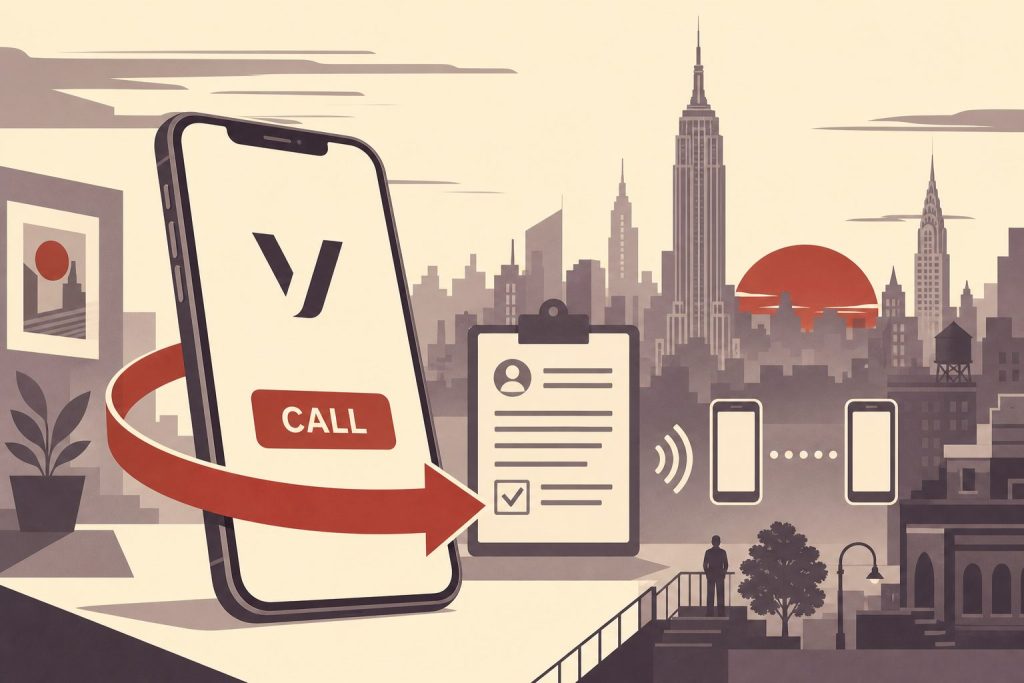
If you want the prestige of a Manhattan 212 area code on your Vonage line — or you’re already a Vonage customer looking to port your 212 number to a new carrier — this guide covers both directions. You’ll learn exactly how porting into and out of Vonage works, what documents you need, how long it takes, and what to expect from Vonage’s VoIP service once your 212 number is live.
What Vonage Is and How It Handles Phone Numbers
Vonage is a VoIP (Voice over Internet Protocol) platform that routes calls over a broadband connection instead of a traditional phone line. Unlike call-forwarding services, Vonage gives you a dedicated phone number that rings on a physical adapter connected to your home phone, on the Vonage mobile app, or on both simultaneously through its Extensions feature.
Vonage operates two separate product lines that handle number porting differently. Vonage for Home (also marketed as Vonage Residential) is a consumer VoIP service built to replace a home landline. Vonage Business Communications (VBC) is the cloud-based business phone system aimed at teams of any size. Both support number porting — meaning you can bring a 212 number you already own into either product — but the steps and timelines differ slightly between them.
Because Vonage routes calls over the internet, your 212 number is genuinely portable. It is not tied to a physical address or a geographic rate center the way a traditional landline would be. That makes pairing a Manhattan area code with a Vonage account a natural fit, whether you live in New York or not.
Porting a 212 Number Into Vonage — Step by Step
Brief overview: the port is initiated by Vonage on your behalf, not by your current carrier. Have your account documents ready before you start.
Ready to Get a 212 Number?
One-time fee. No monthly charges. Port to any carrier in 3–5 business days. NYC's most trusted source since 2009.
Browse 212 Numbers →Step 1 — Purchase your 212 number first. If you do not already own a 212 number, get one before you open a Vonage account. You can browse current inventory and claim a number from the 212areacode.com shop. Numbers start from $150. Once you have the number in hand, you will have the account details Vonage needs to accept the transfer.
Step 2 — Sign up for Vonage and keep your current service active. Do not cancel your existing phone service before the port is complete. Your number must remain active with your current provider throughout the transfer process — canceling too early can cause the port to fail and may result in permanently losing the number.
Step 3 — Gather your porting documents. Vonage will ask you to complete a Letter of Authorization (LOA) — a legal document authorizing the release of your number. You will also need your account number from the current provider, your billing name and address exactly as they appear on your account, and a recent invoice or Customer Service Record (CSR) issued within the last 30 days that shows the number to be ported.
Step 4 — Submit the transfer request through Vonage. For Vonage for Home, you can initiate the transfer online during signup or through a Vonage agent. For Vonage Business, log in to the Admin Portal, navigate to the Dashboard, go to the Transfer Number(s) tile, and click Create Request. Follow the on-screen prompts. If your current provider uses a PIN to protect ports, supply it here; if no PIN exists, Vonage’s system will guide you through the alternative verification steps.
Step 5 — Use your temporary number while you wait. During the transfer window, Vonage provides a temporary virtual phone number so you can use the service immediately while the port is in progress. Check your email for status updates. You can also log in to your Vonage Online Account to monitor progress and resolve any issues that arise.
Step 6 — Confirm activation. The transfer takes up to 10 business days from the date you submit the electronic authorization form. Once the port is complete and the number is activated in your account, you can begin receiving calls on your 212 number through your Vonage adapter, desk phone, or the Vonage mobile app.
Porting a 212 Number Out of Vonage
The process runs in reverse when you want to move an existing Vonage number — including a 212 you ported in previously — to a new carrier. The key rule is the same: start with your new provider, not with Vonage.
Contact your new provider first. Give them your Vonage account number, billing name, billing address, and the phone number you want to transfer. They will submit the port request to Vonage on your behalf. Vonage does not require a PIN to process a port-out request. If your new provider’s system has a mandatory PIN field, you can enter any four-digit number to allow the form to submit.
Keep your Vonage account open. Phone numbers cannot transfer once a Vonage account is canceled. Do not close or cancel your Vonage Business account until the port is confirmed complete. In the Vonage Business Admin Portal, you can set a future cancellation date that aligns with your billing cycle; if the port finishes before that date, no further action is needed.
Timeline and fees. Porting a number out of Vonage typically takes 3 to 10 business days. Vonage itself does not charge a fee for standard port-out requests. However, if you are on a term contract, early termination fees may apply to the service cancellation that follows the port.
What to Expect from Vonage as a 212 Number Host
Once your 212 number is active on Vonage, calls route over your broadband connection through either a physical adapter (for home plans) or a softphone app (for business plans). The Vonage Extensions feature lets you register additional mobile phones to ring when your 212 number receives a call — handy if you want your Manhattan number to follow you when you are away from the desk.
Vonage for Home and Vonage Business Communications serve different audiences. The residential plans are contract-free and designed for household use, with the North America plan offering unlimited calls to the U.S., Canada, Puerto Rico, and Mexico. The business tiers — Mobile, Premium, and Advanced — add team features such as video conferencing, CRM integrations, and enhanced analytics at progressively higher per-line costs. All tiers require a high-speed internet connection; rates exclude internet service fees and taxes.
One practical note: Vonage’s 911 service operates differently from traditional 911. Review Vonage’s E911 documentation before relying on the service as your primary home phone line.
Frequently Asked Questions
Can I port any 212 number into Vonage?
In most cases, yes. Vonage accepts number transfers for local VoIP numbers including 212 numbers. Before starting, confirm portability with Vonage’s transfer team, especially if the number has been on a specialized business or fax line, since some configurations may require extra steps.
How long does it take to port a 212 number to Vonage?
The transfer takes up to 10 business days from the date you submit and confirm the electronic authorization form. While you wait, Vonage provides a temporary virtual number so your service is active from day one.
Do I need to cancel my old service before porting?
No — and you should not. Your number must remain active with your current provider throughout the entire transfer process. Canceling early can interrupt the port and may cause you to permanently lose the number.
What documents do I need to port a number to Vonage?
You will need a completed Letter of Authorization (LOA), your current provider account number, the billing name and address on the account, and a recent invoice or CSR (issued within the last 30 days) that shows the number you are porting.
Can I use a 212 number on the Vonage mobile app?
Yes. The Vonage mobile app and the Extensions feature let you make and receive calls using your 212 number from a smartphone, so you are not limited to calls on your home adapter or desk phone.
Does Vonage charge a fee to port a number out?
Vonage does not charge a standard fee for port-out requests. Your new provider may charge a porting fee, and if you are on a Vonage term contract, early termination fees may apply to the account cancellation that follows the transfer.
What happens if my port-out request is rejected?
Rejections are usually caused by a mismatch between the account details you submitted and what Vonage has on file. Double-check your account number, billing address, and name. You can also log in to the Vonage Admin Portal to view the rejection reason and correct the details before resubmitting.
Is a 212 number a good fit for Vonage?
Yes. Because Vonage is internet-based, it is not geographically restricted — you can host a Manhattan 212 number on a Vonage account regardless of where your broadband connection is located. Businesses that want a New York presence without a New York office often use this combination. For more context, see our post on the importance of a trustworthy 212 area code phone number.
Ready to claim your Manhattan number? Browse current inventory — numbers start from $150 — or call us at (212) 580-2000 if you have questions about which number is right for your setup.
Related Reading
- 212 Area Code Cell Phone Number vs Call-Forwarding
- 212 Area Code Phone Number on a Cell Phone
- Obtain a 212 Area Code Phone Number and Port It to Verizon Wireless
- T-Mobile 212 Area Code Phone Number
- 212 Area Code Phone Number with RingCentral
- the Importance of a Trustworthy 212 Area Code Phone Number
