

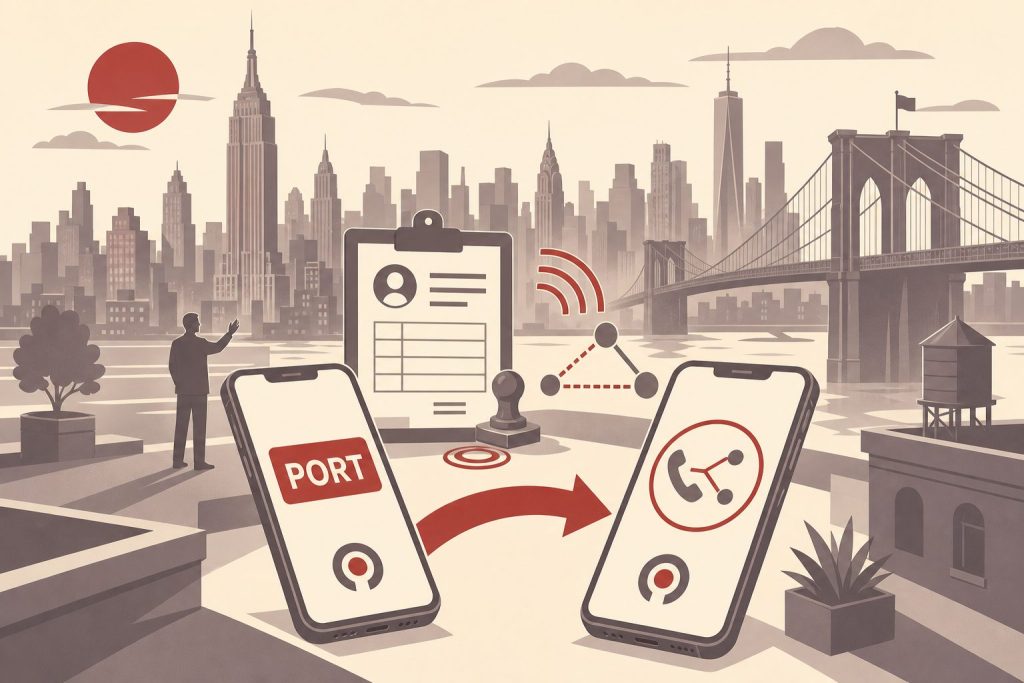
Missed phone calls can add up to a lot of lost business. A high-profile number is easier for customers to remember. By combining a 212 phone number with RingCentral’s call forwarding service, you can avoid missed opportunities and enhance your brand in one fell swoop. Both options are worthwhile for many types of businesses. Independent contractors and other individuals can benefit from them as well.
RingCentral and 212 Area Code Phone Numbers
It is easy to port a 212 number to RingCentral. In fact, you can port several numbers through the versatile and flexible service. There are advanced options that can accommodate multiple extensions and other features as well. In short, you don’t have to settle for less. You can have a high-quality 212 telephone number and quit worrying about missed calls. In fact, you can set everything up online in just a few short minutes, and pricing couldn’t be more reasonable.
Pairing a Manhattan 212 area code with RingCentral gives you a cloud-based business phone system anchored by one of the most recognizable area codes in the country. This guide covers how RingCentral handles number porting in 2026, what documents you’ll need, how long the transfer takes, and what to expect once your 212 number is live on the platform.
What RingCentral Is and How It Handles 212 Numbers
RingCentral is a cloud-based business communications platform — phone calls, video meetings, team messaging, and SMS all routed over the internet rather than a traditional phone line. The flagship product is now branded RingCentral RingEX (the former “RingCentral Office” name was retired). It runs on desk phones, desktop apps for Windows and Mac, and mobile apps for iOS and Android, with all of those endpoints ringing simultaneously when a call comes in to your business number.
Because RingCentral is VoIP, your 212 number is not tied to a physical Manhattan address or a specific piece of hardware. You can host a 212 number on a RingCentral account whether your business operates out of Midtown, Miami, or Munich. The number lives in RingCentral’s cloud and routes calls to whichever device or extension you’ve configured to receive them. For businesses that want a Manhattan presence without a Manhattan office, this is the standard pattern.
Ready to Get a 212 Number?
One-time fee. No monthly charges. Port to any carrier in 3–5 business days. NYC's most trusted source since 2009.
Browse 212 Numbers →RingCentral supports multiple phone numbers per account, multiple extensions per number, auto-attendants, call routing rules, business hours, voicemail-to-email, and SMS on your business line. A single 212 number can serve as your main company line with extensions for individual team members, or as a direct line for a specific person — both setups are common, and you can change between them later without porting the number again.
Porting a 212 Number Into RingCentral — Step by Step
The port is initiated by RingCentral on your behalf after you sign up. You’ll provide RingCentral with the information they need to request the number from your current carrier, and they handle the back-and-forth with that carrier directly. Do not cancel your current service before the port completes — your number must stay active at the source until the moment the transfer flips.
Step 1 — Acquire your 212 number first if you don’t already have one. If you’re starting from scratch, claim a number from the 212areacode.com shop before you finalize your RingCentral signup. You can browse current inventory and pick a number that fits the brand. Numbers start From $150. Your order confirmation includes the source-side account information RingCentral will need to accept the port.
Step 2 — Sign up for a RingCentral plan and start the porting workflow. When you create your account, you can either pick a temporary RingCentral-issued number to use during the transfer or initiate the port immediately. The temporary number lets you start making and receiving calls on RingCentral while the port runs in the background; once the port completes, the temporary number is replaced by your 212.
Step 3 — Gather your porting documents. RingCentral will ask you to complete a Letter of Authorization (LOA) that legally authorizes the release of your number. You’ll also need your account number with the current carrier, the billing name and address exactly as they appear on that carrier’s records, and a recent invoice or Customer Service Record (CSR) issued within the last 30 days that shows the 212 number on the account.
Step 4 — Generate a transfer PIN if your source is a wireless carrier. T-Mobile, AT&T, and Verizon all require a short-lived transfer PIN to release a wireless number. Generate this PIN through your current carrier’s app or website right before you submit the port request — most expire within 24 hours. If the source is a landline or VoIP service, the PIN step usually doesn’t apply, but check your source provider’s porting documentation.
Step 5 — Submit the port request through the RingCentral admin portal. Log into your RingCentral account, navigate to the number transfer section, upload your LOA and supporting documents, and submit. RingCentral will validate the information and send the request to your current carrier. You can track the status from the same admin page.
Step 6 — Use your temporary number while the port runs. Wireless-to-VoIP ports typically complete within 1 to 3 business days. Landline-to-VoIP ports take 3 to 5 business days. During the transfer window, route business calls through the temporary number RingCentral provided. Your old service keeps working on the 212 number throughout the process.
Step 7 — Confirm activation and configure routing. When the port flips, calls to your 212 number start ringing your RingCentral endpoints. Test by calling the number from another phone. Then set up your auto-attendant greeting, voicemail box, call routing rules, and any extensions. RingCentral’s setup wizard walks through these in order.
Porting a 212 Number Out of RingCentral
If you’ve decided to leave RingCentral and take your 212 number with you, the process runs in reverse — but the same rule applies. Initiate the port through your new carrier, not through RingCentral, and keep your RingCentral account active until the transfer completes.
Your new carrier will ask for your RingCentral account number, the billing name and address on the account, and the phone number you want to transfer. They’ll submit the port request to RingCentral on your behalf. If your new carrier requires a transfer PIN to process the port-out, you can find or generate it inside the RingCentral admin portal under account or number management.
Do not cancel your RingCentral subscription before the port-out is confirmed complete. Once an account is closed, the numbers on it are released back to RingCentral’s inventory and you lose the right to port them. RingCentral does not charge a standard fee for port-out requests, but if you’re on an annual or multi-year term, contract-related charges may apply to the subscription cancellation itself — separate from the port. Standard port-out timelines run 3 to 10 business days depending on the destination carrier.
Using a 212 Number on RingCentral Day to Day
Once your 212 number is live, the experience is largely identical regardless of where you’re physically located. Incoming calls ring all your configured devices simultaneously — your desktop app, your mobile app, a desk phone if you have one — and you can answer on whichever device is closest. Outgoing calls display your 212 number to the recipient’s caller ID, whether you’re calling from the office, a coffee shop in Brooklyn, or a hotel in Berlin.
SMS works on the 212 number through the RingCentral apps. Texts you send appear to recipients as coming from your business number, and replies route into the RingCentral message inbox where any authorized user can respond. For customer-facing businesses, this means a customer can text the same 212 number they call, and the conversation stays in one place rather than fragmenting across personal cell phones.
RingCentral’s call routing rules let you direct calls to different extensions based on business hours, caller ID, or which option a caller picks from your auto-attendant menu. A typical setup routes after-hours calls directly to voicemail with a custom greeting, while business-hours calls ring through the team in a defined order. Voicemails are transcribed and delivered to email automatically, which means you can read a voicemail without having to call in to check.
For teams, individual extensions let each person have a direct-dial number under the main 212 line. A caller can reach the main number and either dial an extension or be routed by the auto-attendant. Each extension has its own voicemail, its own routing rules, and its own mobile and desktop app login.
What Can Go Wrong (and How to Avoid It)
Most port failures come from a small set of avoidable problems. Knowing the common causes lets you head them off.
The biggest cause of port rejections is a name or address mismatch between the documents you submit and what your current carrier has on file. If the carrier knows you as your full legal name and the LOA uses a nickname, or if you’ve moved and your old carrier still has your previous address, the port will reject and you’ll have to resubmit. Pull a recent bill from your current carrier and copy the name and address exactly as they appear.
The second most common cause is a missing or expired transfer PIN when porting from a wireless source. Carriers now require a short-lived PIN generated in their app, not the old four-digit voicemail PIN. Generate it immediately before submitting the port — not days in advance.
Third: account holds or unresolved balances. Your old carrier cannot block the port over an unpaid balance, but device installment plans, contract early-termination fees, and fraud holds can all delay things. Call your current carrier and ask them to explicitly remove any port restrictions on the line before you start.
Fourth: canceling the source service too early. The port works by transferring an active number. If your old service is already disconnected when RingCentral submits the request, the number has been released back to inventory and the port fails. Let the port complete first, then your old service deactivates automatically for that number.
Finally, incomplete LOA documents. The LOA has to match the CSR exactly, and any missing field — even a checkbox left blank — can trigger a rejection. Read the LOA carefully before signing and double-check that every field is filled in.
Frequently Asked Questions
Can I port any 212 number to RingCentral?
In most cases, yes. RingCentral accepts inbound ports for local VoIP, wireless, and wireline numbers in the US, including 212 numbers. Confirm portability with RingCentral’s transfer team before starting, especially if the number has been on an unusual configuration like a dedicated fax line.
How long does it take to port a 212 number to RingCentral?
Wireless-to-VoIP ports typically complete in 1 to 3 business days. Landline-to-VoIP ports take 3 to 5 business days. RingCentral provides a temporary number you can use immediately, so your business phone service is active from day one regardless of the source.
Do I need to cancel my old service before porting?
No, and you should not. Your number must stay active at the source carrier throughout the entire transfer process. Canceling early releases the number back to the carrier’s inventory and can cause you to permanently lose it.
What documents do I need for a port to RingCentral?
A completed Letter of Authorization (LOA), your current carrier account number, the billing name and address exactly as they appear on that carrier’s records, and a recent invoice or Customer Service Record from within the last 30 days showing the 212 number on the account. If the source is wireless, you’ll also need a transfer PIN generated in your current carrier’s app.
Can multiple users share one 212 number on RingCentral?
Yes. RingCentral supports auto-attendants, extensions, and shared inboxes so multiple team members can answer calls to the same main 212 number. You can also assign individual direct-dial numbers as separate extensions under the main line.
Does RingCentral support SMS on my 212 number?
Yes. Business SMS is available through the RingCentral apps. Texts appear to recipients as coming from your 212 number, and replies route into the RingCentral message inbox. SMS sending requires A2P 10DLC registration for business messaging compliance, which RingCentral walks you through during setup.
Can I use a 212 number on RingCentral from outside New York?
Yes. Because RingCentral is internet-based, the 212 number is not geographically restricted. You can host and use it from anywhere with a broadband or mobile data connection. This is one of the most common use cases — businesses that want a Manhattan presence without a Manhattan office.
What happens to my 212 number if I cancel RingCentral?
If you cancel without porting the number out first, the number is released back to RingCentral’s inventory and you lose it. Always initiate a port to a new carrier and confirm completion before canceling your RingCentral subscription.
Does RingCentral charge a fee to port a number in or out?
RingCentral does not charge a standard fee for inbound or port-out requests. Your source or destination carrier may charge their own porting fee, and contract-related charges may apply if you cancel a RingCentral term plan early.
Ready to Get Your 212 Number?
If you’re setting up RingCentral for a new business or refreshing the brand on an existing one, starting with a Manhattan 212 number sets the tone before the first call connects. Every number in our shop is portable to RingCentral and includes the source-side account information delivered with your order, so the transfer is straightforward.
Browse current inventory to see what’s available right now — numbers start From $150 — or call us at (212) 580-2000 if you’d like help selecting a number or have questions about the RingCentral port specifically.
