

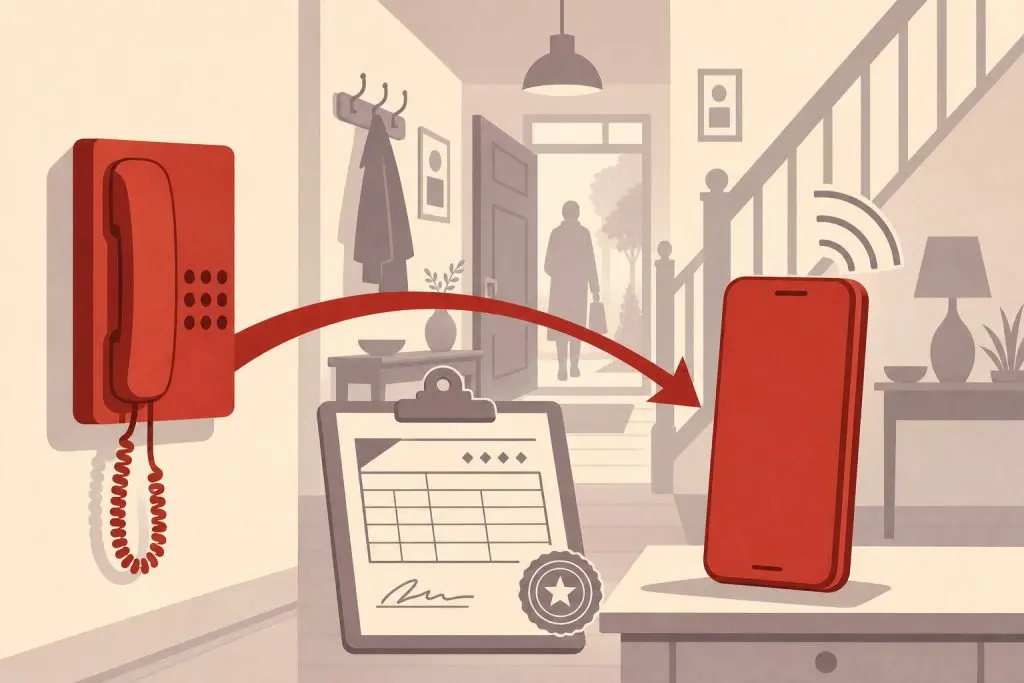
Yes — you can port a landline number to a cell phone, and the process is more routine in 2026 than it has ever been. The FCC requires every US carrier to accept incoming ports, including from traditional copper landlines, so the question is no longer whether it’s possible but how to do it without losing the number along the way. This guide walks through how landline-to-cell porting actually works, what you’ll need to gather, how long each step takes, and the handful of small mistakes that cause most failures.
Yes — Landline Numbers Can Be Ported to Cell Phones
The short answer is yes. Under federal local number portability rules, your phone number belongs to you, not your carrier. You can move it from a landline provider to any wireless carrier that serves the rate center the number is anchored to — and in practice, every major US wireless carrier covers every populated rate center, so coverage is rarely an issue. A 212 number anchored to Manhattan ports to T-Mobile, Verizon, or AT&T without complications, as does a number from any other major metro.
People port landlines for the obvious reasons. The number has been on business cards, family contact lists, and customer records for years or decades. Cutting it loose means losing every reference to it that exists in someone else’s address book. Porting preserves all of that while letting you drop the monthly landline bill and the physical handset tethered to a wall jack.
The mechanics are slightly different from the wireless-to-wireless ports most people are familiar with — landlines have a few extra verification steps, and the timeline is longer — but the underlying right is the same. Your old landline carrier cannot refuse to release the number, and your new wireless carrier handles all the paperwork on your behalf.
How Landline-to-Wireless Porting Differs
Wireless-to-wireless ports usually finish in a few hours because both carriers speak the same modern provisioning protocol and the customer data they each hold is similar. Landline-to-wireless ports take longer for two practical reasons.
Ready to Get a 212 Number?
One-time fee. No monthly charges. Port to any carrier in 3–5 business days. NYC's most trusted source since 2009.
Browse 212 Numbers →First, the source-side records on a landline account are often older and less standardized than wireless records. Many copper landlines were activated decades ago, sometimes under a previous owner’s name, and the billing information on file may not match exactly what the customer believes it to be. The wireless carrier requesting the port has to verify those details against the landline carrier’s records before the transfer clears.
Second, landline-to-wireless involves a rate center confirmation. Every landline number is anchored to a specific geographic exchange — for 212 numbers, that’s Manhattan — and the receiving wireless carrier has to confirm that it serves that rate center before accepting the port. For major metros this is a formality, but the check still has to happen, and that adds a day or two to the cycle.
The current FCC porting rule requires simple ports to complete within one business day, but landline-to-wireless ports are formally classified as “complex” and have a longer allowable window. In practice, expect three to five business days from the day you submit the request to the day the port flips. If it takes longer than five business days without a clear reason from your carrier, that’s a signal to follow up.
What to Gather Before You Start
Every port requires the same set of information, and a mismatch in any one field is the single most common reason ports get delayed. For landline ports, the details matter even more because the source records may be older and less forgiving. Have all of this in hand before you contact your new wireless carrier.
The phone number being ported. All ten digits, including the area code.
The landline account number. This appears on your monthly bill from the landline provider. For some legacy phone companies, the account number includes letters or extra digits beyond the phone number itself — copy the whole string exactly as it appears.
The billing name and address exactly as the landline carrier has them on file. This is the field that trips most landline ports. If the account was opened years ago, the name might be a full legal name where you now go by a shortened version. If you moved within the same service area, the address might be your old address rather than your current one. Pull a recent bill and copy what’s printed there verbatim — middle initials, suffixes, apartment numbers, everything.
A recent landline bill, usually within the last 30 days. Some carriers ask for an uploaded copy as part of the port verification, especially for business landlines. Even if it isn’t required upfront, having one ready prevents delays if the carrier asks for it mid-process.
A Letter of Authorization (LOA), if your new wireless carrier requires one. This is a short form authorizing the release of the number. Most major wireless carriers handle the LOA electronically as part of the port request — you sign it during signup or in the carrier’s app — but some MVNOs and business plans require a separately signed document.
The destination device or line. Your new wireless carrier needs to know which phone or SIM will receive the number. For modern phones this is usually an eSIM provisioned during the port; for older devices, a physical SIM mailed to you.
How to Port Your Landline Number — Step by Step
The actual process is initiated through your new wireless carrier, not your existing landline provider. This is the most important rule of porting and the easiest one to get wrong.
Step 1 — Choose your wireless carrier and plan. Pick the carrier you want the number to live on before you start anything else. Confirm with that carrier that they accept landline-to-wireless ports for your number — every major carrier does, but it’s worth a thirty-second confirmation call to avoid surprises. If you’re moving to a prepaid or MVNO plan, double-check there too.
Step 2 — Gather the information listed above. Pull your landline bill, confirm the exact billing name and address, write down the account number, and have a digital copy of the bill ready in case the carrier asks for it. Don’t skip this step; the temptation to start the port and figure out the details mid-stream is what causes most rejections.
Step 3 — Contact your new wireless carrier to start the port. You can do this online during signup, in a retail store, or over the phone with the carrier’s port-in team. Tell them you want to port a landline number to a new wireless line and provide everything from Step 2. They’ll typically read the information back to you to confirm — listen carefully. A single transposed digit in the landline account number is the most common cause of port rejections.
Step 4 — Keep your landline service active. Do not cancel your landline service before the port completes. If you cancel early, the number is released back to the landline carrier’s general inventory and the port request will fail. You will likely lose the number permanently if this happens. Pay the next landline bill on time even if it overlaps with your new wireless service — you’ll only be paying for a few days of overlap, and it protects the number.
Step 5 — Wait through the port window. Expect three to five business days. Your new wireless carrier will usually provide a temporary phone number you can use in the meantime, so your wireless service is active from the moment you sign up. During the wait, your landline keeps working normally. The port completes silently — there’s no warning before it flips.
Step 6 — Confirm activation and clean up. Once the port completes, call your number from a different phone. If it rings your new wireless device, the port is done. At that point your landline service automatically deactivates for that number; you’ll get a final bill from the landline provider for any prorated charges. Set up voicemail on the wireless side (your old landline voicemails do not transfer), and update any place where the number was tied to landline-only features like fax-to-email forwarding.
What Can Go Wrong
Most port failures fall into a small handful of categories, and all of them are avoidable if you know what to look for.
The most common failure is a billing name or address mismatch. The landline carrier knows you as “Robert J. Smith” at the address printed on the bill; you tell the new wireless carrier “Bob Smith” at your current address. The two records don’t match, and the port rejects. Always copy from the most recent bill, including middle initials, suffixes, and unit numbers.
The second is canceling the landline too early. Customers often assume they should cancel the landline first to “free up” the number — the opposite is true. The port works by transferring an active number; an inactive number cannot be ported. Pay the overlap and let the landline cancel itself when the port flips.
Third is an account that’s been migrated to a different underlying service without the customer realizing it. Many legacy landline numbers were quietly moved from copper to VoIP years ago — your cable company may now be providing what looks like a landline but is actually a VoIP line. This usually doesn’t change the port mechanics, but the account number format may be different from a traditional copper account, and the source provider may charge a small port-out fee that pure copper providers can’t. Check with your provider if the bill doesn’t list “copper” or “POTS” service explicitly.
Fourth: fax lines and business landlines sometimes have additional features bundled to the number — hunt groups, distinctive ring, dedicated fax routing — that don’t translate to a wireless carrier. The port itself still works, but those features will be lost. If your landline number is the front-of-house line for a small business with bundled services, plan around the feature loss before you start the port, not after.
Finally, old account holds. Outstanding balances do not block the port — your landline carrier still has to release the number, and they can bill you for what you owe separately — but explicit account locks, fraud holds, or business-account port restrictions can. If you suspect there’s a hold on the line, call your landline carrier and explicitly ask them to remove any port restrictions before you start.
Special Cases
A few situations deserve their own notes because they come up more often with landline ports than with wireless ports.
Porting a fax line: Fax numbers can be ported to wireless carriers, but a wireless line cannot send or receive fax in the traditional sense. If the number is genuinely used for fax, port it to a virtual fax service that converts incoming faxes to email instead — or check our guide to using a 212 number on a fax line for setup options.
Porting a business landline with multiple extensions: Wireless lines hold one number per SIM. If your landline has a main number plus multiple extensions or rollover lines, you can port the main number to a wireless device, but the extensions either need to be ported to a multi-line VoIP business service or retired. RingCentral, Vonage, and similar VoIP business platforms handle multi-line landline ports natively and may be a better destination than a single wireless line for a business setup.
Porting a number you’ve had for decades: Very old landline numbers occasionally have data inconsistencies in the carrier’s records — the name on file might be a long-deceased relative, or the address might be a previous home. The port still works, but expect the carrier to request additional verification documents (a recent bill plus a photo ID, for example). Build a few extra days into the timeline.
Porting a landline that’s already VoIP under the hood: If your “landline” comes from your cable or fiber provider, it’s almost certainly VoIP regardless of what the bill says. Port-out timelines and procedures from these providers usually look more like VoIP-to-wireless (one to three business days) than traditional copper ports.
Porting to keep a 212 number on a cell phone: If your goal is specifically to keep a Manhattan 212 number after retiring a New York landline, this is one of the most common reasons people port at all. The path is identical to any other landline-to-wireless port, and the result is a Manhattan area code on your modern phone — see our overview of getting a 212 area code on a cell phone for context on why this matters in 2026.
Frequently Asked Questions
Can any landline number be ported to a cell phone?
In nearly every case, yes. The receiving wireless carrier needs to serve the rate center the landline is anchored to, but every major US wireless carrier covers every populated rate center. Refusal to accept a port is extremely rare and usually points to a paperwork issue rather than a true incompatibility.
How long does a landline-to-cell port take?
Three to five business days is the typical window. Wireless-to-wireless ports complete in a few hours, but landline ports involve extra verification and rate center confirmation steps that lengthen the cycle. Most wireless carriers give you a temporary number to use while you wait.
Should I cancel my landline before starting the port?
No. Keep the landline active until the port completes. Canceling early releases the number back to the landline carrier and almost always causes the port to fail. The landline will deactivate on its own once the port flips.
Does porting a landline cost money?
The FCC prohibits the old carrier from charging a fee to release your number. Your new wireless carrier may charge a small activation or SIM fee for the new line, and the landline carrier may bill you for early termination or pro-rated final charges, but the port itself is free. Ask your new carrier whether they’ll waive any activation fee — many will, especially for a new line.
What if my landline carrier says I can’t port the number?
They cannot legally refuse to release a number once you’ve requested the port through your new wireless carrier. If a customer service representative tells you otherwise, you’re getting incorrect information. Escalate to the carrier’s port-out department, and if the issue persists you can file a complaint with the FCC, which tracks porting compliance.
Can I port a landline to a prepaid wireless plan?
Yes. Prepaid carriers — Cricket, Metro by T-Mobile, Mint, US Mobile, Google Fi, Boost — all accept landline-to-prepaid ports. The timeline is the same three to five business days, and the same rules about keeping the landline active during the port apply.
Will I lose any features when I move from a landline to a cell phone?
Some landline-specific features don’t carry over: hunt groups, distinctive ring, dedicated fax routing, and traditional 911 location handling all work differently on wireless. For most home users this isn’t noticeable. For businesses with multi-line setups, a VoIP destination may be a better fit than a single wireless line.
What happens to my voicemail and call history?
Landline voicemails do not transfer to the new wireless line. If you want to keep any messages, save them before the port — many landline carriers let you forward voicemails to email. Call history stays with the landline carrier and isn’t migrated.
Can I port a landline number back if I change my mind?
Once the port to your wireless carrier completes, the number is yours to port again at any time. There’s no FCC-mandated waiting period, though some carriers impose short internal hold periods to prevent fraud. You could port it back to a landline service, to a VoIP service, or to a different wireless carrier whenever you want.
Is porting better than just call-forwarding the landline?
Usually yes, because porting eliminates the monthly landline bill and consolidates everything onto one device. Call-forwarding requires keeping the landline service active forever, which means paying for two phone lines instead of one. For a deeper comparison see our porting vs call-forwarding overview.
Ready to Move Your Landline to a Cell Phone?
If you’re retiring a New York landline and want to keep a Manhattan area code on your new wireless line — or you’re starting from scratch and want a 212 number on your cell phone — our shop has 212 numbers ready to port to any major wireless carrier. Numbers start From $150 depending on the digit pattern.
Browse current inventory to see what’s available, or call us at (212) 580-2000 if you’d like help choosing a number or have questions about porting a specific landline.
