

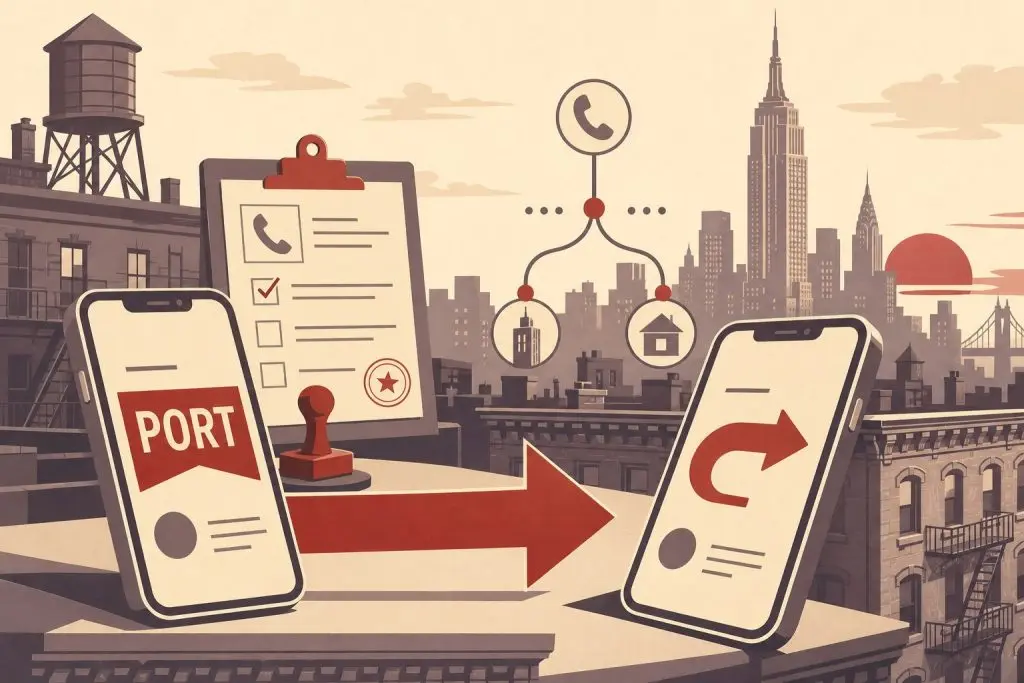
Porting and call-forwarding are the two ways to put a 212 area code number to work, and they solve different problems. Porting moves the number onto your carrier so it becomes your line; call-forwarding leaves the number with us and routes incoming 212 calls to whatever phone you already use. This guide explains how each one works in 2026, what they cost in time and effort, and which one fits your situation.
What Porting and Call-Forwarding Actually Do
Porting is the regulated process of moving a phone number from one carrier to another without changing the digits. Once you port a 212 number to your carrier, the number becomes your active line. Outgoing calls show 212 on caller ID, incoming calls ring your phone directly, and texts arrive natively on your device. The Federal Communications Commission codified your right to port a number in 1996, and the rules apply equally to wireless, wireline, and VoIP services.
Call-forwarding leaves the 212 number registered to us. When someone dials it, our system answers the call and immediately routes it to whatever destination number you provide — your existing cell phone, an office line, a VoIP extension, anything that rings. From the caller’s perspective they reached your 212 number; from your perspective your regular phone rings. The forwarding happens in real time, with no app to install and no change to your existing service.
Both options give you a working Manhattan 212 number. The difference is who owns the number on paper, what your outgoing caller ID looks like, and how much setup work is involved on your end.
How Porting Works in Practice
When you port a 212 number from us to your carrier, your carrier submits the port request, our side releases the number, and the global routing database updates to point at your carrier’s network. The number itself doesn’t physically move — what changes is a lookup record that tells the phone network where to send calls. That lookup happens in milliseconds, which is why ports complete so quickly once the paperwork clears.
Ready to Get a 212 Number?
One-time fee. No monthly charges. Port to any carrier in 3–5 business days. NYC's most trusted source since 2009.
Browse 212 Numbers →For wireless-to-wireless ports — and every 212 number we sell is on a cell-capable line, so this is the typical path — the FCC requires simple ports to complete within one business day. In practice, T-Mobile, Verizon, AT&T, and the major MVNOs (Cricket, Mint, Google Fi, US Mobile, Boost) process them in two to four hours when the paperwork is clean. Same-day completion is normal.
You initiate the port through your new carrier, not your old one. This catches a lot of first-timers off guard, but the rule is unambiguous: tell your destination carrier you want to port a number in, give them the source account details, and they handle the rest. Do not cancel service at the source first — if the number goes inactive before the port request arrives, the port can fail.
You’ll need five pieces of information: the 212 number, the source account number, a fresh transfer PIN (generated through the source carrier’s app right before you start — the old “your voicemail PIN works” advice is dead, and Verizon, T-Mobile, and AT&T all require separately generated short-lived PINs now), the billing name and address on the source account exactly as they appear on the bill, and the destination carrier and device. When you buy a 212 number from us, all the source-side fields are delivered in your order so you can hand them to your new carrier without tracking anything down.
How Call-Forwarding Works in Practice
Call-forwarding is the lower-effort path. You give us the destination number, we configure the forward on our side, and incoming 212 calls start ringing your phone immediately. There’s no carrier involvement, no transfer PIN, no waiting period — the setup completes the same day, often within minutes.
The destination can be almost any working US phone number: a wireless line on any carrier, a landline, a VoIP extension, a Google Voice number, even an international forwarding setup in some cases. Your existing phone keeps its existing number; the 212 number sits on top of that line as a second inbound channel.
The tradeoffs are worth knowing. Outgoing caller ID still shows your underlying carrier number, not the 212. If you call someone from your phone, they see your real number on their screen. Text messages sent to the 212 are not forwarded to your device the same way calls are — SMS routing through a forwarded number is technically possible but works differently than voice and depends on the destination type. And because the number stays in our system, you don’t have the option of, say, adding it to your wireless carrier’s family plan.
If incoming calls are the only thing you care about — for example, you want a Manhattan presence for a business line that customers dial into but you place outbound calls some other way — call-forwarding handles that cleanly. If you also want outgoing 212 caller ID or native texting, porting is the better fit.
Side-by-Side Comparison
The shortest way to choose between the two is to look at what each one actually gives you.
Setup time. Call-forwarding is live the same day, usually within an hour of placing the order. Porting takes a few hours to a business day for wireless destinations and up to several business days for landline or some VoIP destinations.
Outgoing caller ID. Porting shows 212 on every outbound call. Call-forwarding shows whatever number your phone normally shows.
Texting. Porting gives you native SMS and iMessage on the 212. Call-forwarding handles voice; texting on a forwarded number is not the default experience and may require additional configuration.
Effort on your end. Porting requires you to coordinate with your carrier, gather account details, and generate a transfer PIN. Call-forwarding requires you to give us a destination number and confirm.
Ongoing cost structure. Once a port completes, the 212 line is part of your carrier plan — billing happens through them. Call-forwarding is billed through us as an ongoing service. Which one is cheaper depends on your carrier’s pricing for an additional line versus our forwarding rates.
Reversibility. Either path can be undone. A ported number can be ported again to another carrier at any time. A forwarded number can be reconfigured to forward elsewhere on request, or eventually ported to your carrier if you change your mind.
When Each Option Makes Sense
The right choice depends on what you actually need the 212 number to do.
Choose porting if you want the 212 to be your real, primary line — outgoing caller ID, native texting, voicemail tied to your phone, the works. This is the right call for individuals replacing an existing number with a 212, for professionals who want their Manhattan identity baked into every interaction, and for anyone moving a business line onto a 212 permanently.
Choose call-forwarding if you want to add a Manhattan presence without touching your existing phone setup. This works well for businesses based outside New York that want a local NYC inbound number, for sole proprietors who want to keep their personal and business numbers separate without buying a second device, and for anyone testing whether a 212 number is worth committing to before going through the port.
A common pattern: customers start with call-forwarding for a few months to see how the 212 number performs in their actual use, then port it to their carrier once they’re sure they want it permanently. Because the number stays alive through the transition, there’s no risk of losing the digits you chose.
How to Switch From One to the Other
If you start with call-forwarding and later decide to port, the process is the same as any standard port. The 212 number is already active in our system, so when your carrier submits a port-in request, we release it cleanly. The same five fields apply: number, account number, transfer PIN, billing name and address, destination carrier. You can walk through the full porting process here.
Going the other direction — porting a 212 number out to a carrier and then deciding you’d rather have it on call-forwarding instead — is also possible but less common. Once a number is on your carrier, it follows your carrier’s rules. You’d port it back to a service that supports forwarding or set up forwarding through your carrier’s own features. Most people who choose porting stick with it.
Frequently Asked Questions
Is one option more “real” than the other?
Both give callers a working 212 number. The difference is what you control. With porting, the number lives on your carrier and you control everything about it. With call-forwarding, the number lives with us and we route inbound calls to wherever you tell us. Neither is fake — they’re just different setups for different needs.
Will my caller ID show 212 if I use call-forwarding?
No. Call-forwarding only affects incoming calls — your outbound caller ID stays whatever your underlying line uses. If 212 on outbound caller ID matters to you, porting is the option you want. For a deeper comparison of these two paths on a cell phone specifically, see our 212 area code cell phone number vs call-forwarding guide.
How long does each option take to set up?
Call-forwarding is live the same day, usually within an hour. Porting to a wireless carrier typically completes in two to four hours and is required by FCC rules to finish within one business day for simple ports. Landline destinations can take up to five business days.
Can I text from a forwarded number?
Call-forwarding routes voice calls. Native two-way texting on a forwarded 212 is not the default experience and depends on the destination. If text messaging on the 212 is a requirement, porting the number to your carrier is the cleaner solution.
Do I need to cancel my current phone service to port a 212 number?
No — and you shouldn’t. The number you’re porting (the 212) is separate from your existing carrier service. If you’re adding the 212 as a new line, your current line is untouched. If you’re replacing your current number with the 212, do not cancel the source service until the port is confirmed complete; canceling early can cause the port to fail.
What’s the failure mode for each option?
Porting can be delayed by a name or address mismatch with the source carrier, an expired transfer PIN, or a fraud hold on the source account. Most rejections are paperwork problems and resolve within a day once corrected. Call-forwarding failures are rarer and usually trace back to a typo in the destination number or a destination line that’s not accepting forwarded calls.
Can I forward a 212 number to a number outside the United States?
International forwarding is possible in some configurations but has different rate and reliability characteristics than US-to-US forwarding. Contact us before ordering if international forwarding is your use case.
If I port the 212 to my carrier, can I switch carriers later?
Yes. Once a number is ported to your carrier, it’s yours to move again. You can port it to any other carrier — wireless, VoIP, or back to a forwarding setup — at any time. The FCC requires no waiting period, though some carriers impose short internal hold periods to prevent fraud.
Which option is better for a business?
It depends on whether you want the 212 to be the primary line or a presence layer. Businesses that want all calls and texts handled through the 212 typically port it to their PBX, VoIP platform, or cell carrier. Businesses that already have an established main line and just want a Manhattan inbound number for marketing purposes often choose call-forwarding. Either way, see our guide on the importance of a trustworthy 212 area code phone number for context on why a real Manhattan number matters.
Ready to Get Your 212 Number?
Every 212 number in our shop is available for either porting or call-forwarding — you choose the setup that fits at checkout. Pricing starts From $150 depending on the digit pattern and memorability of the number.
Browse current inventory to see what’s available right now, or call us at (212) 580-2000 if you want help choosing between porting and forwarding for your specific situation.
