

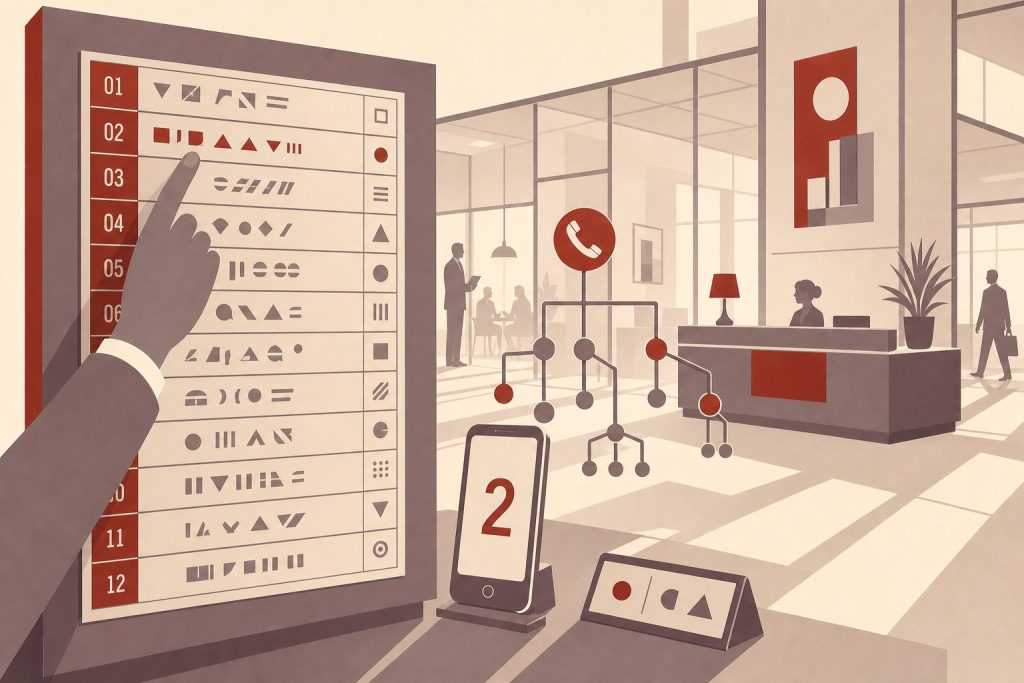
A phone number extension is a short set of digits — usually three or four — that routes a call past a main business number to a specific person, department, or mailbox. This guide explains what extensions are, how they work on modern cloud phone systems, how to dial them correctly, and how they fit alongside features like direct inward dialing and softphone apps in 2026.
What a Phone Number Extension Is
A phone number extension is an internal routing code attached to a main business phone number. The main number gets the call into the organization; the extension tells the phone system where inside the organization to send it. Extensions are typically three or four digits, though larger enterprises sometimes use five.
Picture a Manhattan law firm with a main number of (212) 555-0100. When you call, you reach the firm’s phone system — not a single human. From there, dialing extension 215 might ring the litigation paralegal, 301 the managing partner’s assistant, and 411 a shared conference room. The main number is the front door; the extension is the office you’re heading to once you’re inside.
An extension is not the same as an area code, though they share the idea of routing. An area code points a call at a geographic region — the 212 area code covers Manhattan, for instance. An extension points a call at a specific endpoint inside one organization that shares a single public number. You can’t dial an extension from outside the organization without going through the main number first.
How Extensions Work Technically
Behind the scenes, extensions live on a private branch exchange — a PBX. In the original wired era, a PBX was a physical switchboard sitting in a back office, with copper wires running to each desk phone. In 2026, almost every business runs a cloud PBX instead. The “switchboard” is software hosted by a provider like RingCentral, Vonage Business, 8×8, Zoom Phone, or Dialpad, and the desk phones, softphone apps, and mobile devices all connect over the internet.
Ready to Get a 212 Number?
One-time fee. No monthly charges. Port to any carrier in 3–5 business days. NYC's most trusted source since 2009.
Browse 212 Numbers →When a call arrives at the main number, the cloud PBX answers it and either presents an auto-attendant menu (“press 1 for sales, press 2 for support”) or accepts a direct extension dial. The system looks up the extension in its routing table and forwards the audio to whichever device that extension is registered on — a desk phone in the office, a softphone on a laptop, a smartphone running the company’s voice app, or all three simultaneously through “find me, follow me” rules.
A related concept worth knowing is direct inward dialing, or DID. A DID number is a full ten-digit phone number that rings a single extension directly, skipping the main-number menu entirely. Many modern cloud phone systems give every employee both an extension (for internal transfers and short dialing) and a DID number (for outside callers who want to reach that person directly without navigating a menu). The two coexist: 215 inside the firm and (212) 555-0215 from the outside world might ring the same person.
How to Dial an Extension — Step by Step
Dialing an extension is straightforward, but exactly how you do it depends on whether you’re using a desk phone, a smartphone, or saving the number in your contacts.
Step 1 — Dial the main number first. Enter the full ten-digit phone number, including the area code. You cannot dial an extension on its own from outside the organization — the extension is only meaningful once you’re connected to the company’s phone system.
Step 2 — Wait for the prompt. Most business systems answer with an auto-attendant or an operator who will ask for the extension. Some systems accept the extension at any point during the greeting; others require you to wait until prompted. If you hear “if you know your party’s extension, you may dial it at any time,” you can enter it immediately.
Step 3 — Enter the extension digits. Type the three or four digits of the extension on your keypad. The system will recognize the input and transfer the call. If you make a mistake, most systems let you press * or 0 to return to the main menu.
Step 4 — Save extensions for one-tap dialing. On both iPhone and Android, you can save a contact with the extension built in so you don’t have to dial it manually each time. When entering the contact’s number, type the main number, then add a pause or wait before the extension. On iPhone, tap the “+*#” key while editing the number and choose “pause” (a comma, which waits two seconds) or “wait” (a semicolon, which prompts you to tap to send the extension). Android uses the same comma and semicolon conventions. Once saved, tapping the contact dials the main number, then either auto-sends the extension after a pause or waits for your tap.
Step 5 — Use the “ext.” format in writing. When you list a phone number with an extension on a website, email signature, or business card, the convention is to write the main number followed by “ext.” and the extension digits — for example, (212) 555-0100 ext. 215. Some systems also recognize the letter x as shorthand: (212) 555-0100 x215. Both render correctly when clicked from most modern phone apps.
Why Businesses Use Extensions
Extensions solve a problem that gets worse the larger an organization grows: how do you let outside callers reach hundreds of different people without publishing hundreds of different phone numbers? The answer is one public-facing number and an internal routing system. Several practical benefits fall out of that design.
The first is efficiency. Callers who already know which department they need can skip the receptionist entirely, which saves time on both ends. A returning customer calling about a billing question goes straight to billing without waiting for someone to manually transfer the call.
The second is cost. Cloud PBX providers price service per user or per line, but extensions themselves are usually unlimited within a plan. A company can add or remove employees without provisioning new outside numbers each time. The same logic applies in reverse — a small business can publish a single memorable number and route hundreds of internal endpoints behind it.
The third is professionalism. A main number with a branded auto-attendant signals that the caller has reached an organized business, not someone’s personal cell phone. Pairing that with a prestigious area code — a Manhattan 212 number for a New York firm, for example — reinforces the impression before the caller even speaks to anyone. See our post on the importance of a trustworthy 212 area code phone number for more on how area codes shape that first impression.
The fourth is privacy. Employees can give out the company’s main number plus their extension instead of their personal mobile number. If they leave the company, their extension is reassigned and the caller’s contact information never breaks out into the wider world. This matters particularly for client-facing roles where the employee may move on but the business relationship continues.
The fifth is flexibility. Extensions don’t have to point at people. Many businesses dedicate extensions to conference rooms, voicemail-only boxes for specific projects, after-hours hotlines, shared on-call rotations, fax-to-email gateways, or even informational recordings (hours, directions, holiday closures). A single phone system can serve as the entire communication backbone for an office.
Extensions vs. Direct Numbers vs. Call Forwarding
Extensions are one of three common ways to route a call to a specific person inside an organization, and the distinctions matter for businesses choosing how to set up their phone system.
Extensions sit behind a main number and require the caller to either know the extension in advance or navigate a menu. They’re cheapest to deploy at scale and they keep the main number front-and-center in branding.
Direct inward dial (DID) numbers are full ten-digit numbers that ring a single endpoint without going through a menu. They cost more — most providers charge a small monthly fee per DID — but they’re friendlier to outside callers who don’t want to navigate an auto-attendant.
Call forwarding redirects calls from one number to another entirely. It’s a different mechanism from either of the above and is most often used to bridge a number across services or carriers. For a deeper look at the tradeoffs between forwarding and a true ported number, see our post on 212 area code cell phone number vs call-forwarding.
Most modern cloud phone systems offer all three at once. A typical setup might be a main 212 number with an auto-attendant, three-digit extensions for internal transfers, a DID number for each employee who wants direct access, and forwarding rules that send after-hours calls to a cell phone.
Frequently Asked Questions
Can I have an extension on a personal phone number?
Not in the traditional sense. Extensions require a PBX — a system that can answer a main number, present a menu, and route calls internally. Personal mobile lines from Verizon, T-Mobile, AT&T, or any major MVNO don’t include a PBX. If you want extension functionality on a personal-sized line, you’d subscribe to a cloud PBX service like RingCentral, Vonage Business, or Zoom Phone, which can run on top of a single number and behave like a small office system.
How many digits is a typical extension?
Three or four digits is standard. Small offices often use three-digit extensions (100-999), which gives enough range for most teams. Larger enterprises with thousands of employees use four or even five digits. The choice is set when the phone system is provisioned and applies uniformly across the organization.
What’s the difference between an extension and an area code?
An area code is a public, geographic prefix that routes calls to a region — the 212 area code anchors to Manhattan, the 646 area code overlays the same area, and so on. An extension is a private, internal code that routes a call inside one organization after the public number has connected. You dial the area code from anywhere; you only dial the extension after reaching the main number.
Can I dial an extension from a text message or email link?
Yes. The convention is to format the number as tel:2125550100,215 in an HTML link — the comma instructs the dialer to pause briefly before sending the extension digits. Most modern smartphone browsers honor this format. A semicolon (tel:2125550100;215) creates a “wait” instead, prompting the user to tap before sending the extension.
Do extensions work on cell phone numbers?
Not by default, but yes if you run a cloud PBX in front of the number. A standard wireless line from T-Mobile, Verizon, or AT&T has no concept of internal extensions — it’s a single endpoint. If you want extension behavior, you provision a business phone service (RingCentral, Vonage Business, Dialpad, Zoom Phone, etc.) that hosts the main number and rings your cell as one of its registered devices. The extension lives on the PBX, not on the carrier’s network.
Can two companies share the same main number with different extensions?
Technically possible but rarely done. A few cloud PBX providers offer “shared tenant” configurations where multiple small businesses sit behind one main number with reserved extension ranges, but this is unusual outside of co-working or virtual-office arrangements. Most businesses prefer their own dedicated main number for branding clarity.
What happens if I dial the wrong extension?
Most auto-attendants either route you to a default operator, play an “extension not found” message and return you to the main menu, or ring out into a generic voicemail. Persistent wrong dials usually trigger the system to send you back to the main greeting after one or two failed attempts.
Is “ext.” or “x” the right way to write an extension?
Both are correct. “Ext.” is more formal and is the standard in business directories and corporate websites. “x” is shorter and common in email signatures, business cards, and informal listings. Pick one and use it consistently — the phone systems and dialer apps recognize both.
Can a 212 area code number have extensions?
Yes. Any phone number can sit in front of a cloud PBX, and that PBX provides the extension routing. Many New York businesses pair a 212 main number with a cloud phone system precisely because the area code carries Manhattan credibility while the PBX handles all the modern routing, voicemail, and mobility features. If you’re setting up a new business line, see our guide on how to get a business phone number for the full setup walk-through.
Ready to Set Up a Business Line With a 212 Main Number?
If you want a Manhattan main number that sits in front of your cloud PBX, every number in our shop is ready to port directly to RingCentral, Vonage Business, Zoom Phone, Dialpad, or any other modern business phone provider that handles extension routing. Pricing starts From $150 depending on the digit pattern and memorability of the number.
Browse current inventory to see what’s available now, or call us at (212) 580-2000 if you have questions about pairing a 212 number with a specific PBX provider.
