

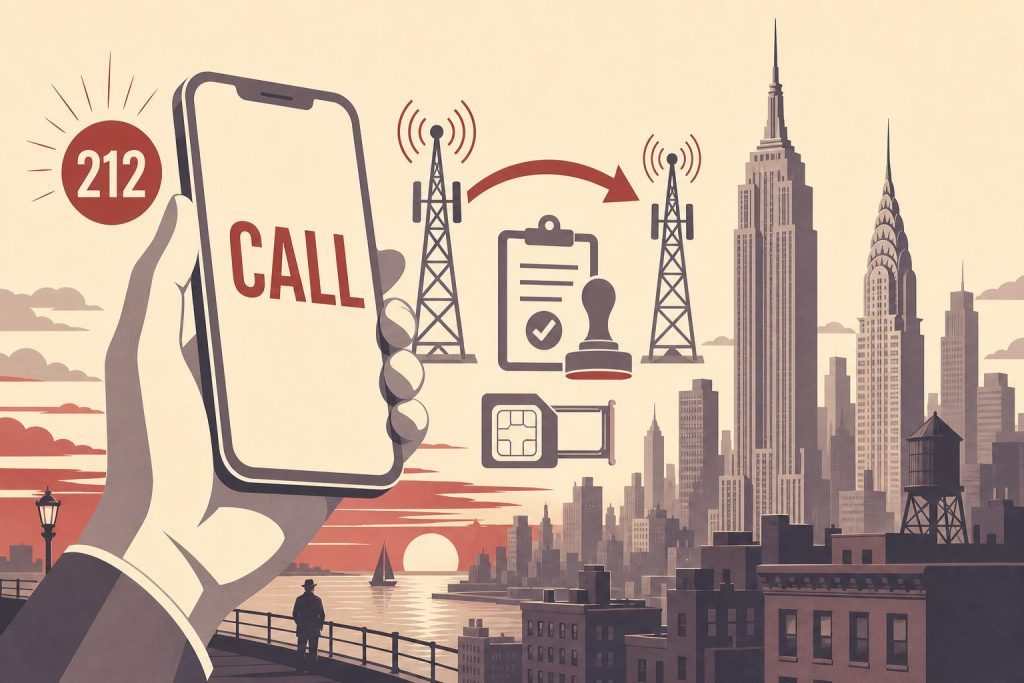
One of the most common questions we get here at 212areacode.com is whether you can port a 212 cell phone number to your mobile. The answer we always give is a sure YES. A 212 number on a cell phone is made possible through “Local Number Portability (LNP),” which means anyone can take their number with them when they change carriers. For the official rules, see the FCC guide to number portability.
On this page
A 212 area code cell phone number gives you the Manhattan prestige of an original New York City number on the device you already carry every day. This guide explains how a 212 number actually works on a modern cell phone, how the porting process moves it onto your carrier in 2026, and what to expect at each step — from picking a number to making your first call.
What a 212 Cell Phone Number Actually Is
The 212 area code is the original New York City area code, assigned in 1947 as part of the first nationwide numbering plan. It covered all five boroughs for decades, then narrowed to Manhattan as the city’s call volume forced new overlay codes like 718, 917, 646, and 332. Because 212 is the original Manhattan code and inventory is finite, the digits carry a recognizable signal of New York legitimacy that newer overlays don’t.
Ready to Get a 212 Number?
One-time fee. No monthly charges. Port to any carrier in 3–5 business days. NYC's most trusted source since 2009.
Browse 212 Numbers →A “212 cell phone number” is not a different kind of phone number. It’s a standard ten-digit US number that happens to begin with 212, provisioned on a wireless carrier and tied to your physical device through either a SIM card or an eSIM profile. From the network’s point of view, it behaves exactly like any other wireless number — calls and texts route the same way, voicemail works the same way, and you can use it across iMessage, FaceTime, WhatsApp, Signal, and any other app that asks for a phone number.
What makes the cell phone version possible is a federal rule called Local Number Portability. Under the FCC’s wireless local number portability rules, you have the right to move a phone number between carriers, between technologies (landline, VoIP, wireless), and between devices without losing the digits. That right is what lets a 212 number — which originally lived on Manhattan landlines — end up ringing on an iPhone in Los Angeles or a pixel-perfect Android setup in Austin.
Why a 212 Number Still Matters in 2026
Caller ID is the first thing most people see when their phone rings. A 212 prefix tells the recipient, before they answer, that the call is associated with Manhattan. For businesses that want a New York presence, for professionals who built a client base in the city before moving elsewhere, or for anyone who simply prefers the look of the original NYC code, that signal matters more than the network plumbing underneath.
The supply side reinforces the value. The North American Numbering Plan Administrator stopped assigning fresh 212 numbers to carriers years ago. New York phone customers who request a Manhattan number today are typically given 332 — the newest Manhattan overlay — or one of the older overlays if 332 inventory is also constrained. The only way to get a 212 number on a new line in 2026 is to acquire one that already exists in private inventory and port it in.
That scarcity is also why a 212 cell number sits well alongside any other Manhattan signal you might want — a business address, a New York LLC, a NY professional license. The prestige of 212 area code phone numbers isn’t abstract; it shows up in answer rates, in client confidence, and in the way the number reads on a business card or email signature.
How a 212 Number Ends Up On Your Cell Phone
There are two paths to a 212 number on a cell line, and they have different mechanics.
You already own a 212 number elsewhere. If you have a 212 number on a landline, a VoIP service like Vonage or RingCentral, or another wireless carrier, you can port it to the wireless carrier of your choice. The number moves; your old service for that number ends when the port completes.
You’re buying a 212 number for the first time. Because new 212 inventory is no longer being assigned, “buying” a number means acquiring one from a holder who has it in active inventory. Every number on our shop can be ported to your mobile carrier, usually in 3–5 business days.
In both cases, the underlying mechanic is the same: the number itself doesn’t physically move, but a national routing database is updated so that calls and texts to your 212 number get sent to whichever carrier currently owns the routing record. That update happens in milliseconds. The paperwork around it — verifying ownership, confirming account details, releasing the number — is where the actual time goes.
Carrier Compatibility — Which Wireless Carriers Support 212
Every major US wireless carrier accepts inbound ports for 212 numbers, because 212 anchors to Manhattan and every major carrier covers Manhattan. There is no carrier in the country that can legitimately tell you they “don’t support” a 212 number on a cell line.
The three facilities-based carriers — Verizon, T-Mobile, and AT&T — all support 212 ports onto postpaid and prepaid plans. The major MVNOs that run on those networks support them too: Cricket and US Mobile’s various tiers on AT&T and Verizon, Mint Mobile and Metro by T-Mobile on T-Mobile, Boost on its own EchoStar 5G network with roaming agreements on T-Mobile and AT&T, and Google Fi on T-Mobile primary with US Cellular fallback.
The practical differences between carriers are mostly not about whether they accept your 212 number (the one wrinkle is Cricket, which only accepts ports from another wireless carrier, so a number bought from us makes a short stop on a prepaid mobile line of your own first). They’re about plan structure, device compatibility (almost all modern phones work across all three networks), and how they handle the activation step. For US iPhone users — every US-market iPhone since the iPhone 14 has been eSIM-only — activation involves a carrier-provided eSIM profile rather than a physical SIM card. Most carriers will provision the eSIM during the port itself.
If you want carrier-specific walkthroughs, we have detailed guides for the most common setups, including obtaining a 212 area code phone number and porting it to Verizon Wireless, T-Mobile, AT&T Wireless, and Cricket.
How to Port a 212 Number to Your Cell Phone — Step by Step
The port is initiated through your new wireless carrier, not your old one. This is the single most important thing to get right.
Step 1 — Acquire the number first. If you don’t already own a 212 number, browse current inventory and pick one. Every listing on the shop is already provisioned and ready to release to your carrier. When your number is ready to transfer, we email you, and the account number and transfer PIN appear in My Numbers on our website — usually the same business day. Pricing starts From $150 depending on the digit pattern.
Step 2 — Generate a transfer PIN if porting from another wireless carrier. T-Mobile, AT&T, and Verizon all require a short-lived transfer PIN to authorize the release of a wireless number. You generate this PIN inside the source carrier’s app or website right before you start the port. Most expire in 24 hours, so don’t generate it days in advance. (If you’re porting a number you just bought from us, this step is handled on our side and the PIN appears in My Numbers on our website.)
Step 3 — Contact your new carrier and submit the port request. Go to a retail store, call the carrier’s port-in line, or initiate the port online during a new line activation. Provide the 212 number, the source account number, the transfer PIN, and the exact billing name and address on the source account. The new carrier will read these back to confirm spelling and digit accuracy — listen carefully here, since a single transposed digit is the most common cause of port rejections.
Step 4 — Do not cancel your existing service. The number must stay active on the source carrier until the port completes. If you cancel early, the number is released back into the source carrier’s general inventory and you lose the right to port it. Once the port flips, the old service for that number deactivates automatically.
Step 5 — Wait for the activation signal and set up your new line. A 212 number bought from us usually finishes porting to a mobile carrier in 3–5 business days. You’ll know the port is done when calls to your 212 number ring your new phone and the old line shows “no service.” Set up a fresh voicemail greeting on the new carrier (voicemails do not transfer), send a few test texts, and confirm that group messaging works as expected — especially if you’re switching between iMessage and a non-iMessage device.
What Can Slow Down or Reject a Port
Most port problems trace back to a handful of fixable causes. Knowing them upfront saves a frustrating callback to the carrier’s port team.
The most common cause is a name or address mismatch between what you give the new carrier and what the old carrier has on file. If the source account lists “Robert J. Smith, 123 Main St, Apt 4B” and you give the new carrier “Bob Smith, 123 Main Street,” the automated system will reject the port. Use the exact name and address from your most recent source-carrier bill.
The second is an expired or wrong PIN. Old four-digit voicemail PINs no longer work for porting at any of the three majors. For a number coming from another carrier, always generate a fresh transfer PIN through that carrier’s app immediately before submitting the port request. (The PIN for a number bought from us, shown in My Numbers, doesn’t expire.)
The third is an active hold on the source account — a fraud flag, an unpaid device installment, or a carrier-branded phone still under a contract lock. Holds have to be cleared by the source carrier; the new carrier can’t bypass them. If you suspect any holds, call the source carrier first and ask explicitly to remove any port restrictions on the line.
The fourth is canceling source service too early, which we already covered above but is worth repeating. Let the port complete; the old line deactivates on its own.
Frequently Asked Questions
Can I really get a 212 number on a cell phone if I don’t live in Manhattan?
Yes. Wireless numbers are not geographically restricted to their area code. Once a 212 number is ported onto your wireless carrier, you can use it anywhere your carrier has service — coast to coast and internationally where roaming is supported.
How long does the port to my cell carrier take?
A 212 number bought from us usually ports to your mobile carrier in 3–5 business days.
Will I lose service during the port?
No. Your number stays active on the source carrier until the moment the port flips to the new carrier. The dark window between the two is usually under a minute, and incoming calls during that window typically queue and ring through once the new line is live.
Does my phone need to be unlocked?
It needs to be unlocked to the network you’re porting to. iPhones bought directly from Apple are unlocked by default. Phones bought through a carrier are typically locked to that carrier until financing is paid off or until the carrier’s unlock conditions are met (60 days of active service is the most common threshold). Most modern Android phones bought unlocked work on all three networks.
What if I have an eSIM-only phone?
Every US-market iPhone since the iPhone 14 is eSIM-only, and most newer Android flagships support eSIM as the default. The port works identically — your new carrier provisions an eSIM profile during the port instead of mailing a physical SIM. For details on the eSIM activation step, see our guide to using an eSIM with a 212 area code phone number.
Can I keep my current number and add a 212 number as a second line?
Yes. Most modern phones support dual SIM (one physical, one eSIM, or two eSIM profiles). You can keep your existing number as the primary line and add a 212 number as a secondary line on the same device, then choose which line to use for each outgoing call. This is one of the cleanest ways to add a New York presence without giving up the number your contacts already have.
Is a 212 cell number the same as call-forwarding?
No, and the difference matters. With call-forwarding, you don’t own the 212 number — a third-party service holds it and forwards calls to your real number. With a ported 212 number, you own the number outright and it rings directly on your device. We cover the tradeoffs in detail in 212 area code cell phone number vs call-forwarding.
What does a 212 cell phone number cost?
Inventory in our shop starts From $150 and varies by digit pattern — numbers with memorable sequences, repeated digits, or vanity-friendly patterns price higher than random combinations. The price you pay covers the number itself; your monthly wireless plan with your carrier is separate.
Can I port the number out later if I switch carriers?
Yes. Once a 212 number is on your wireless line, you can port it again — to a different carrier, to a VoIP service, or anywhere else — with the same federal protections that brought it to you in the first place. There’s no waiting period required by the FCC, though some carriers impose short hold periods to prevent fraud.
Ready to Get Your 212 Cell Phone Number?
Every 212 number on our shop can be ported to your cell carrier, usually in 3–5 business days. Pricing starts From $150 depending on the digit pattern.
Browse current inventory to see what’s available right now, or call us at (212) 580-2000 if you’d like help choosing a number or have questions about porting to a specific carrier.

